Individual and Group External Activities
External Activities completed outside of UniversitySite can be created in InstructorSite for a single user or for multiple users.
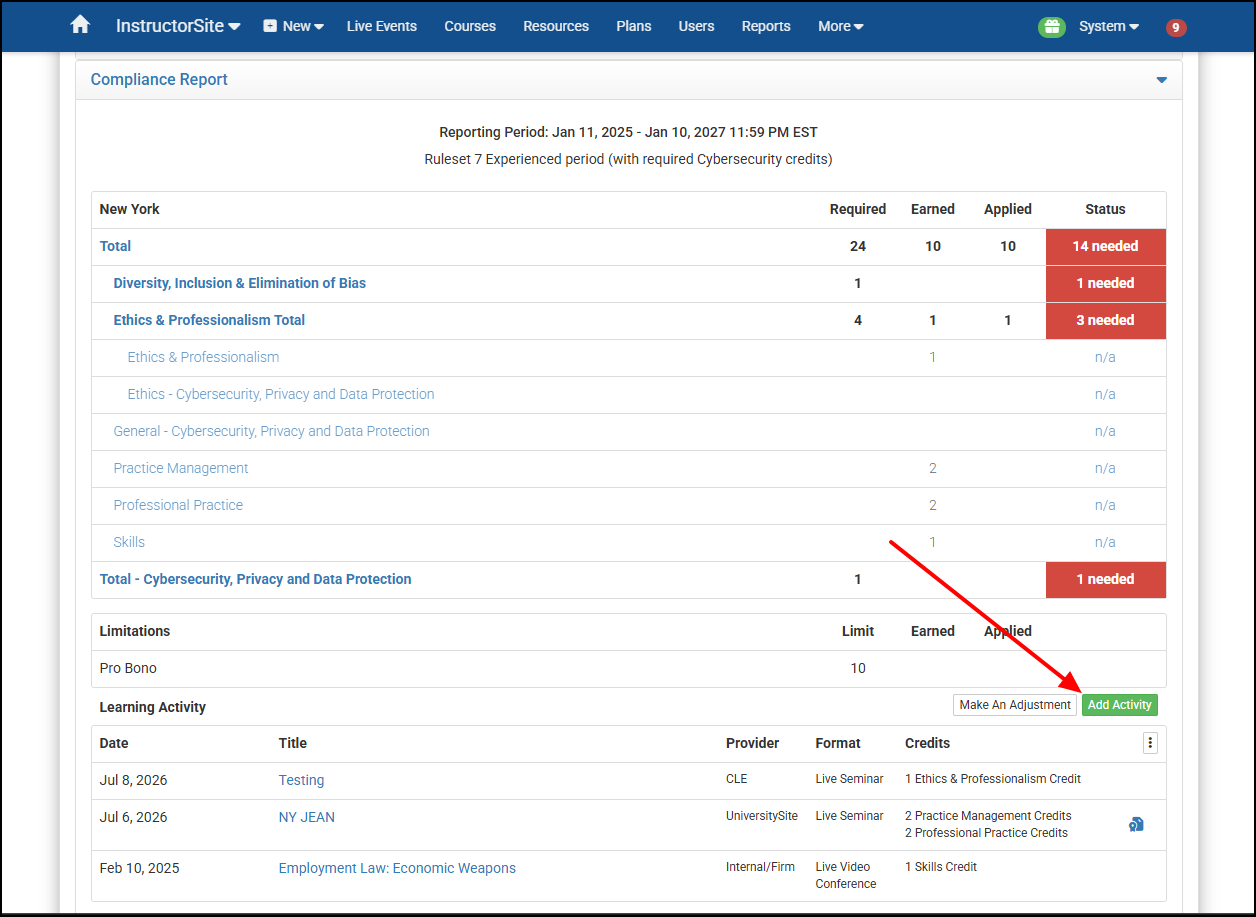
Selecting the Add Activity button on a Learner's Compliance Report will bring up the option to choose either Individual Activity or Group Activity:
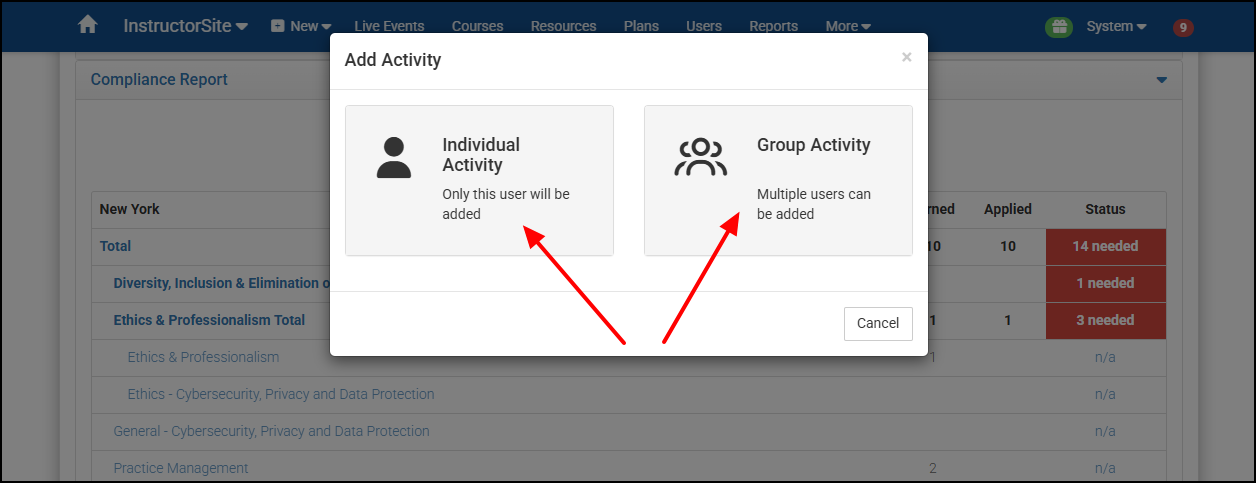
Selecting Individual Activity will create an External Activity just for this current user.
Selecting Group Activity will open a new tab with the New External Activities page. Here can add the details of the Activity, add the appropriate credits, and create the Activity.
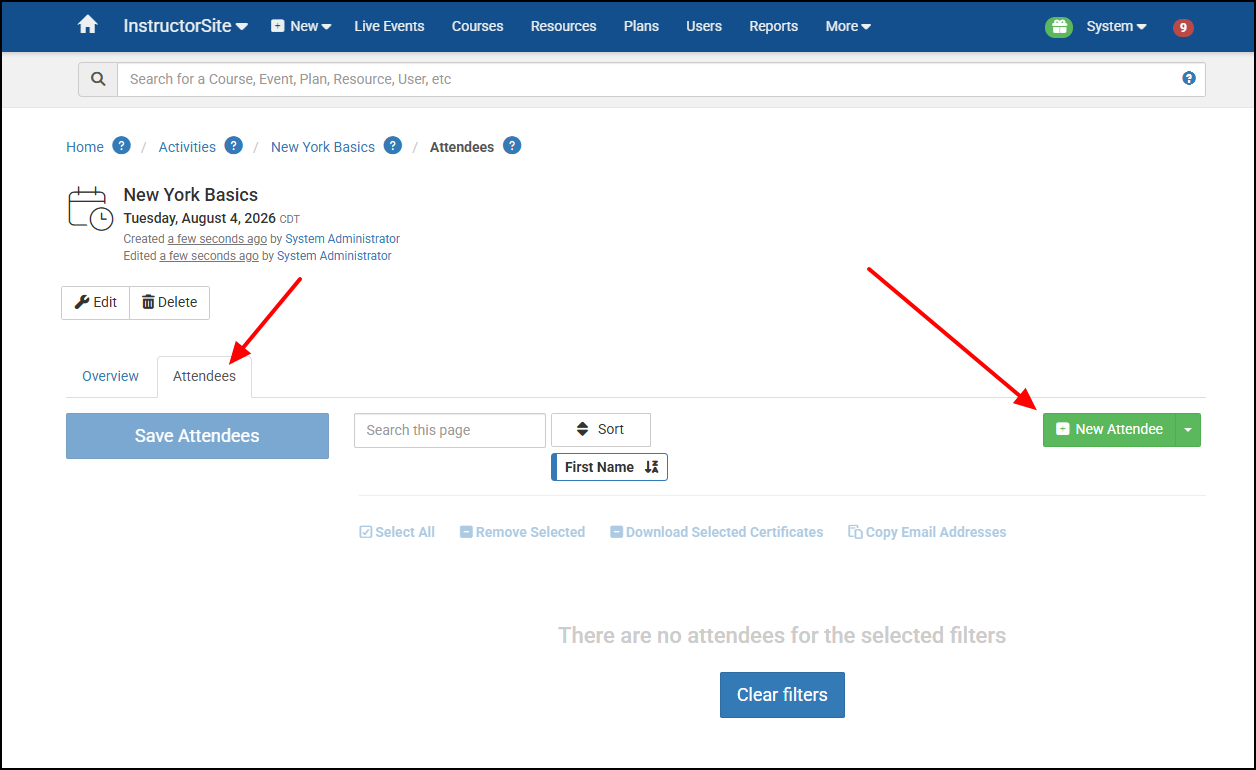
Then you can go to the new Activity's Attendees tab and add multiple Learner's to the External Activity: